
TRACKCELL FEATURES
Laboratory Inventory Management From Receiving Through Usage
TrackCell brings inventory, barcode and QR workflows, receiving, usage tracking, transfers, ordering, expiration monitoring, quality checks, and reporting into one centralized system designed for laboratory operations.
EVERYTHING YOUR LAB NEEDS
One System. The Entire Inventory Workflow
TrackCell connects the key stages of laboratory inventory management—from receiving new supplies to tracking usage, transferring stock, managing orders, and understanding inventory activity.
01
RECEIVE
Bring incoming inventory into TrackCell with lot, quantity, and expiration information.
02
TRACK
Maintain visibility into quantities, lots, locations, and expiration dates.
03
USE
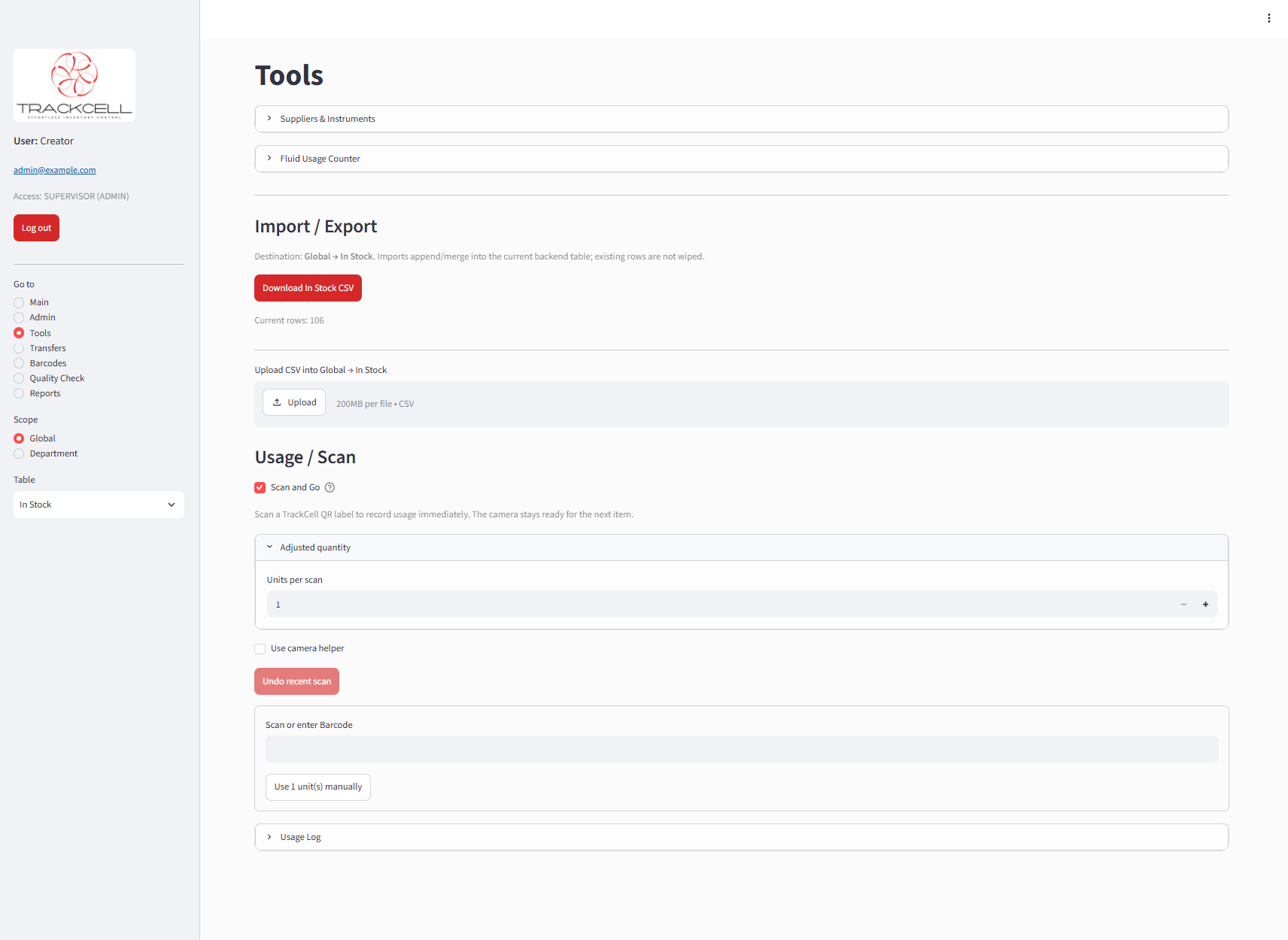
Record everyday inventory usage with barcode and QR-based workflows.
04
TRANSFER
Move inventory into laboratory departments and off-site locations while maintaining accurate records.
05
ORDER
Identify inventory needs and manage purchasing and replenishment activities.
06
REPORT
Review usage, inventory history, purchasing activity, and operational trends.
INVENTORY & STOCK CONTROL
Know What's in Your Laboratory
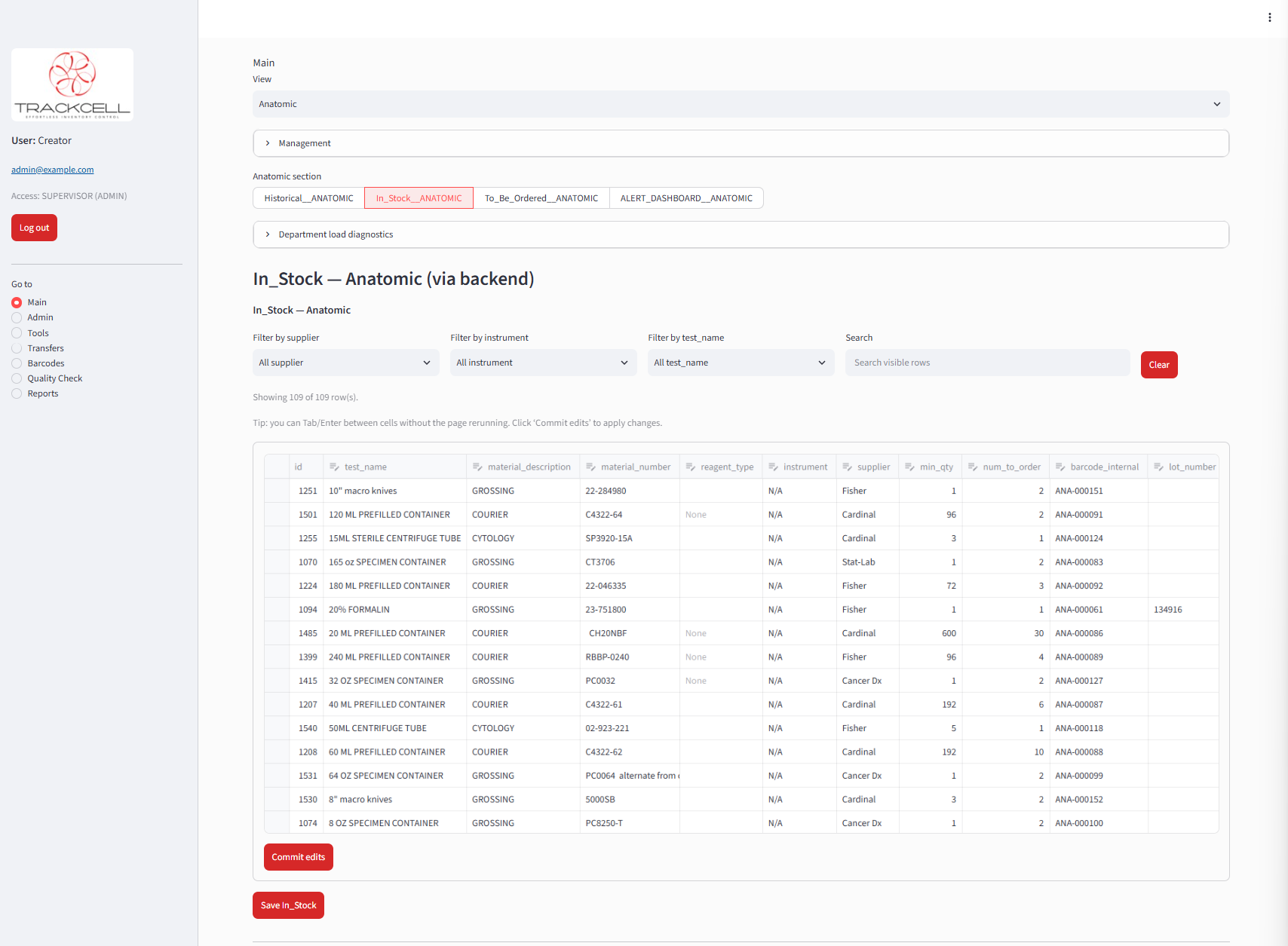
Track inventory by department, item, lot, quantity, and expiration date from one centralized system. Maintain visibility into current stock while preserving a clear record of inventory activity.
Lot-Level Visibility
See individual lots, quantities, and expiration dates.
Departmental Inventory
Maintain inventory independently across laboratory departments.
Centralized Stock Control
See what is available, what is running low, and where inventory is located.
BARCODE & QR TRACKING
Scan. Record. Keep Moving.
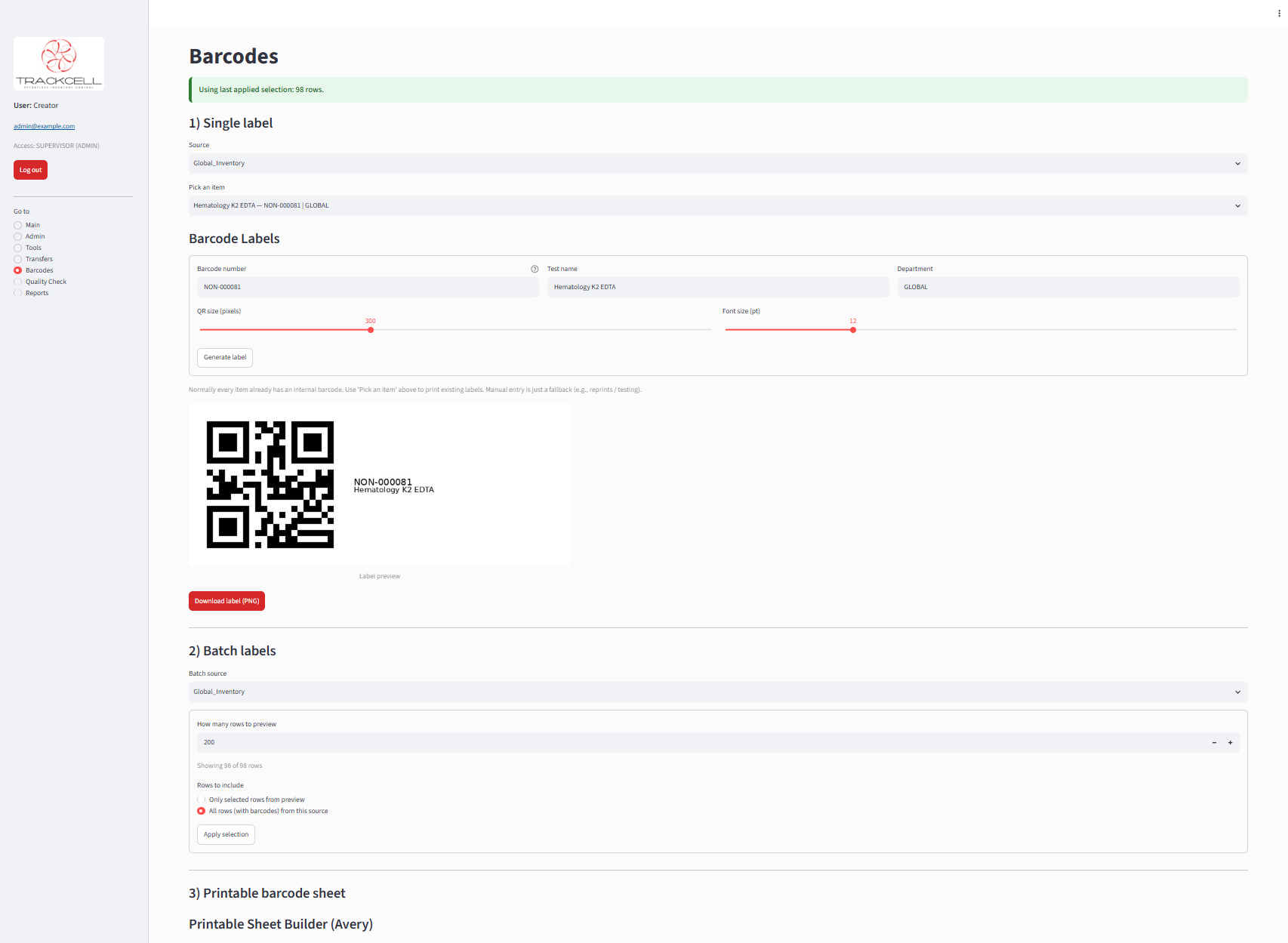
Generate and use barcode and QR labels to identify lab inventory, simplify scanning workflows, and link physical supplies to their inventory records.
Barcode & QR Scanning
Generate QR-based labels for laboratory inventory and prepare individual or batch labels for printing..
Scan-Ready Inventory
Use TrackCell-generated QR codes with compatible scanners and smartphone cameras throughout inventory workflows.
Connected Inventory Records
Connect physical supplies to their corresponding inventory information for faster identification and tracking.
INVENTORY TRANSFERS
Move Inventory Where It’s Needed
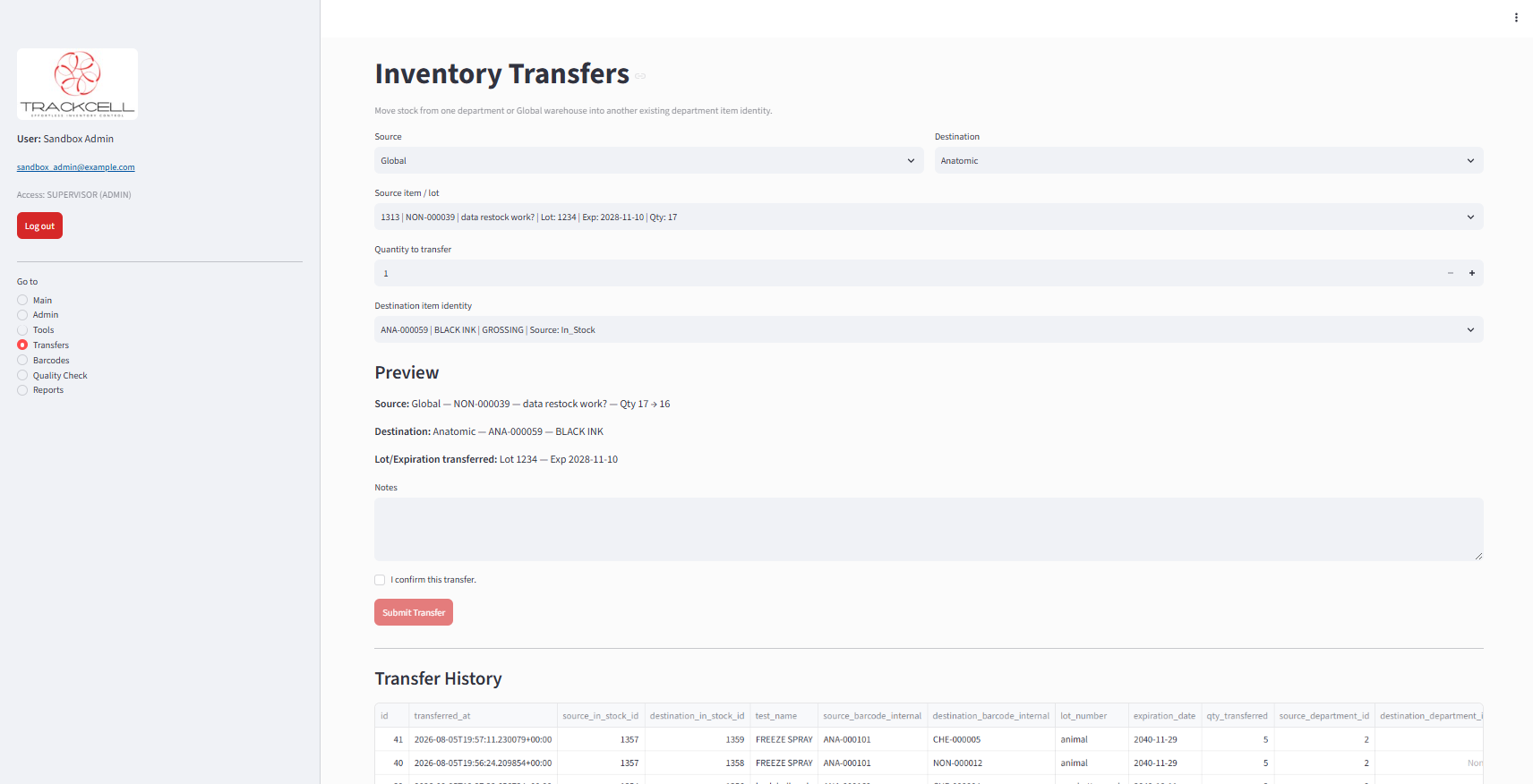
Move inventory between laboratory departments and off-site locations while maintaining the lot, expiration date, quantity, and destination item identity.
Department-to-Department or Off-site Locations Transfers
Move available stock between laboratory departments or off-site locations without losing associated inventory information.
Lot & Expiration Continuity
Carry lot and expiration information with transferred inventory to keep destination records accurate.
Transfer History
Maintain a record of inventory movement so your laboratory can see what was transferred, where it went, and when.
INVENTORY RECEIVING
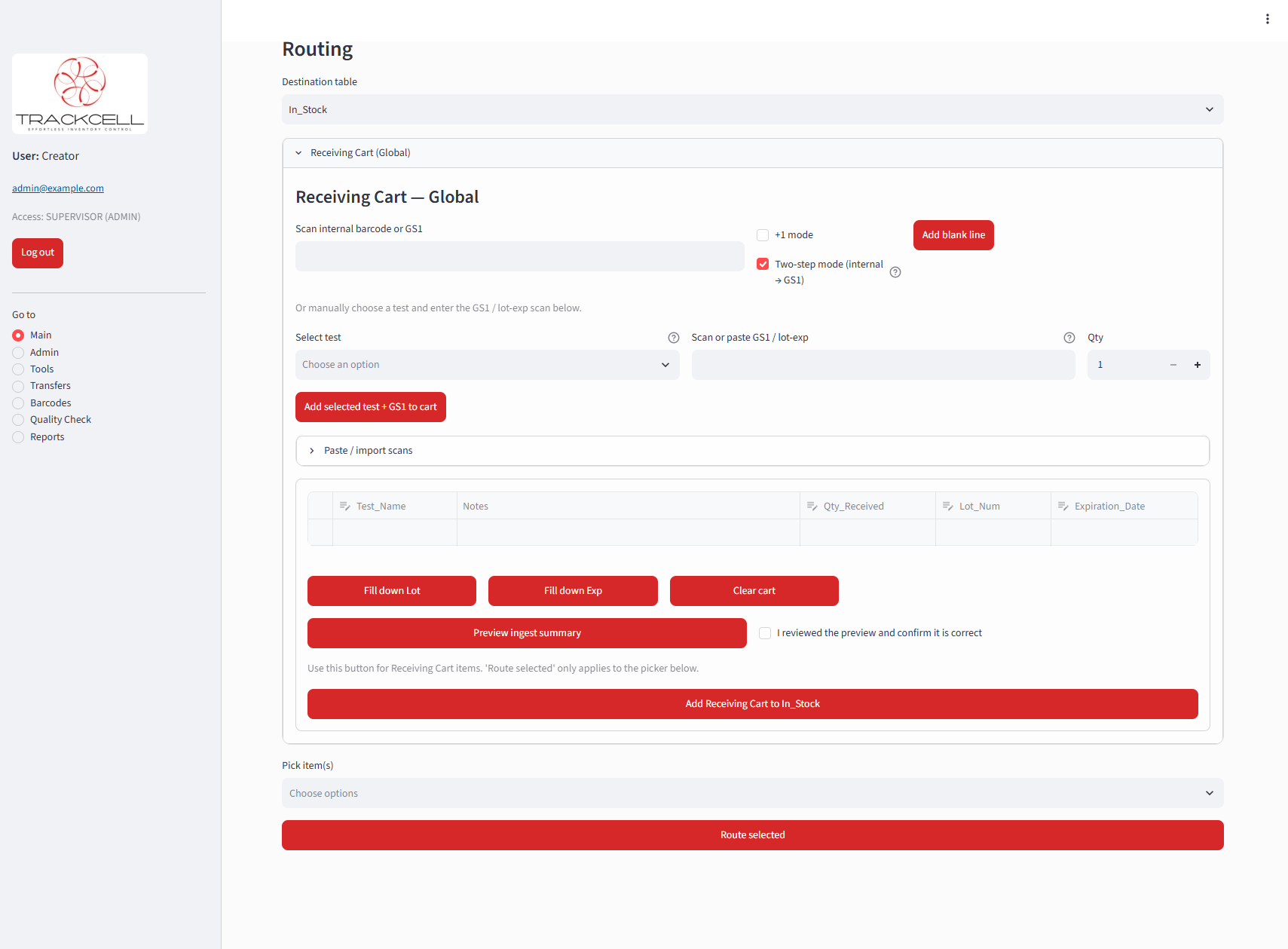
Receive Inventory With the Details That Matter
Bring new inventory into TrackCell while capturing quantity, lot, and expiration information at the time supplies are received.
Streamlined Receiving
Process incoming laboratory inventory through a centralized workflow instead of manually updating inventory records.
Lot & Expiration Capture
Record lot numbers and expiration dates as inventory is received so critical product information stays connected to the item.
Barcode-Assisted Entry
Use supported barcode data to help capture product information and reduce repetitive manual entry during receiving.
ORDERING & PURCHASING
Turn Inventory Needs Into Action
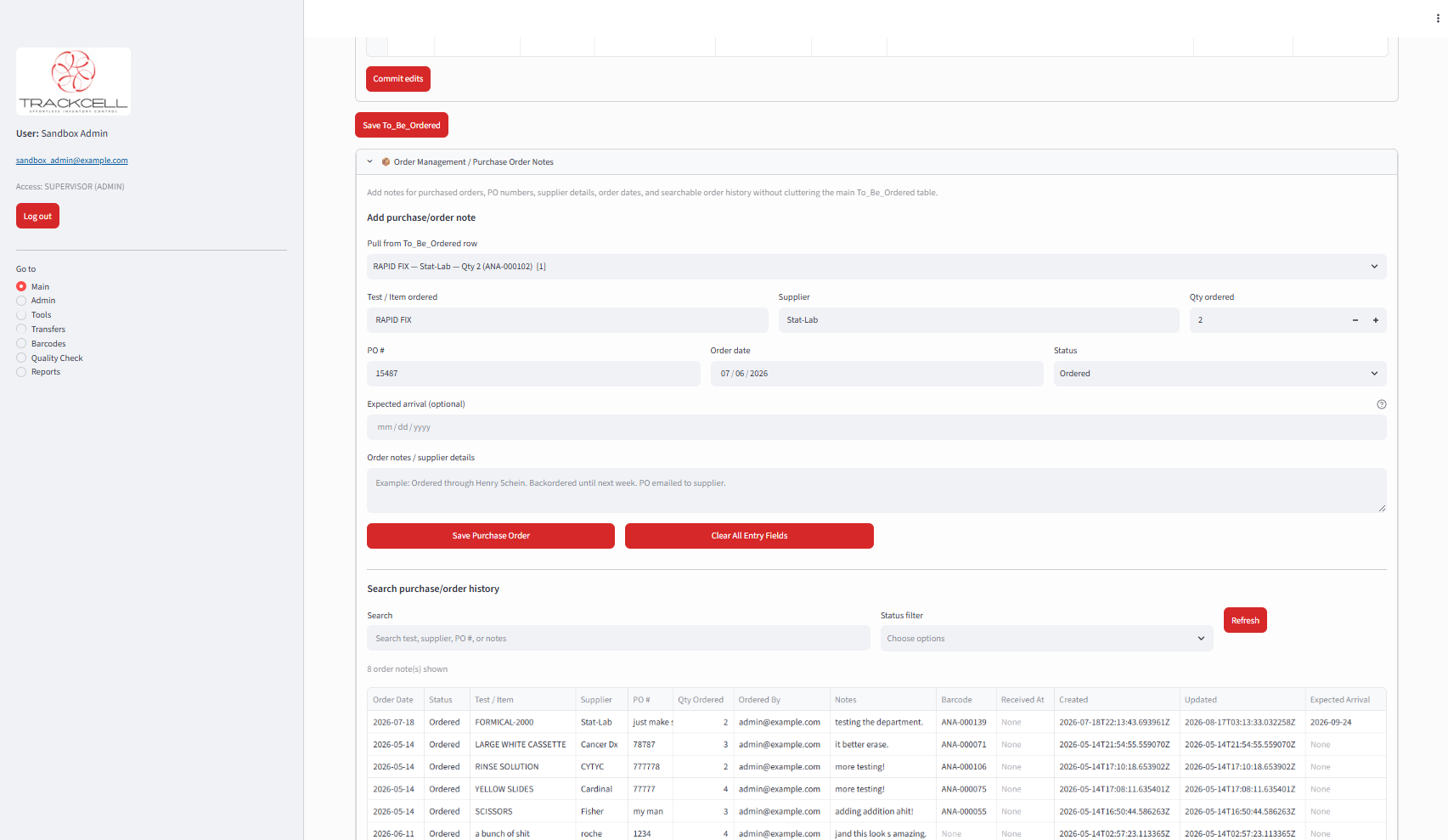
Manage items that need to be ordered, create purchase records, and track purchasing activity from one connected inventory system.
Identify What Needs Ordering
Keep track of inventory that needs replenishment and organize items for purchasing.
Purchase Order Tracking
Record purchase order details, suppliers, quantities, order dates, status, and other information needed to follow an order.
Purchasing History
Maintain a record of purchasing activity to help your laboratory review previous orders and understand replenishment patterns.
ALERTS & EXPIRATION MONITORING
See Inventory Problems Before They Become Problems
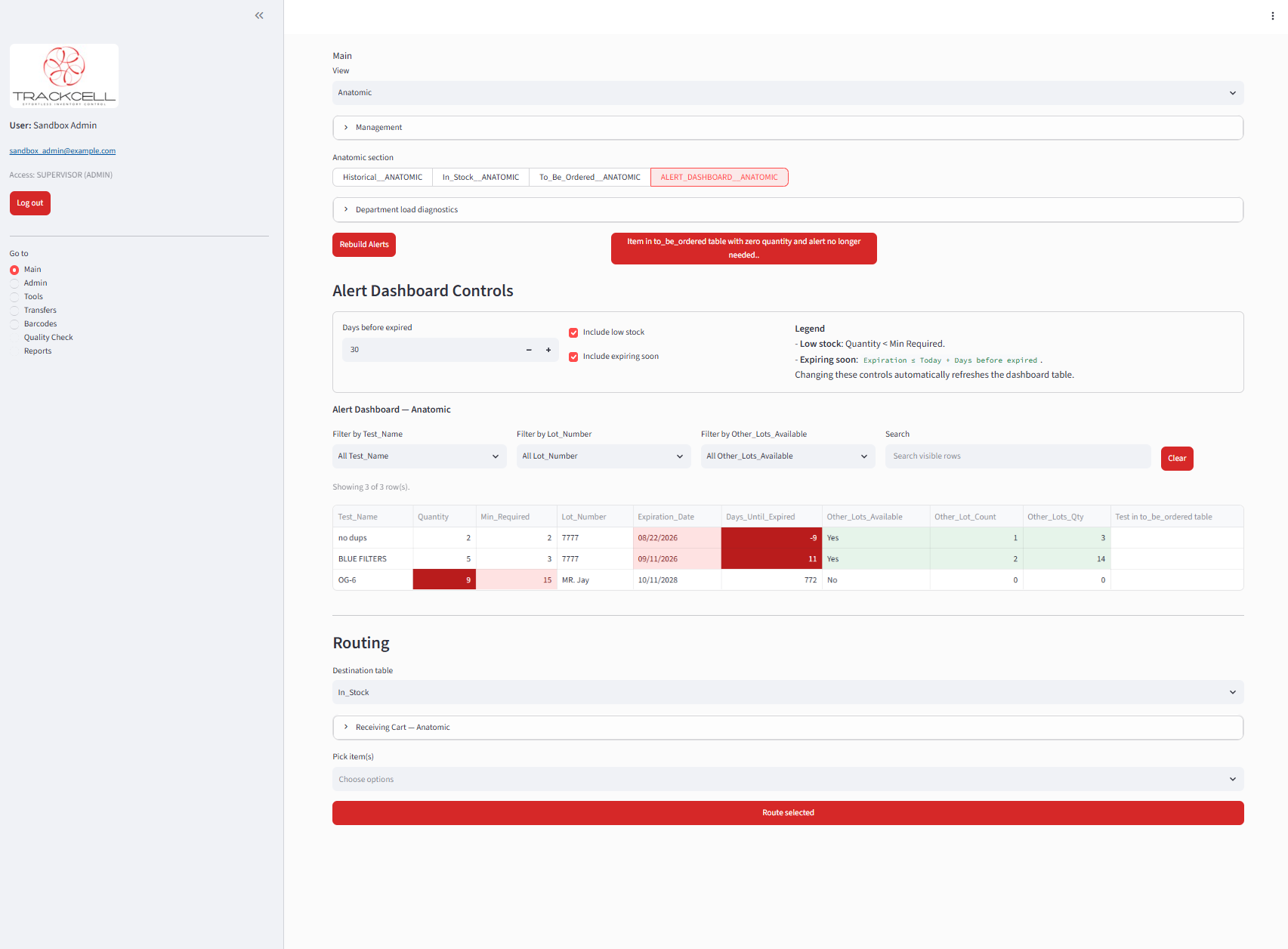
Monitor low-stock inventory and upcoming expiration dates from one dashboard so your laboratory can identify items that may need attention.
Low-Stock Visibility
Identify inventory below its required stock level so replenishment needs are easy to recognize.
Expiration Monitoring
Track approaching expiration dates and adjust the monitoring window to focus on inventory expiring within the timeframe that matters to your laboratory.
Focused Alert Dashboard
Filter and review inventory alerts by item, lot, and other available criteria to quickly find the supplies that need attention.
REPORTING & INVENTORY INSIGHTS
Turn Inventory Data Into Decisions
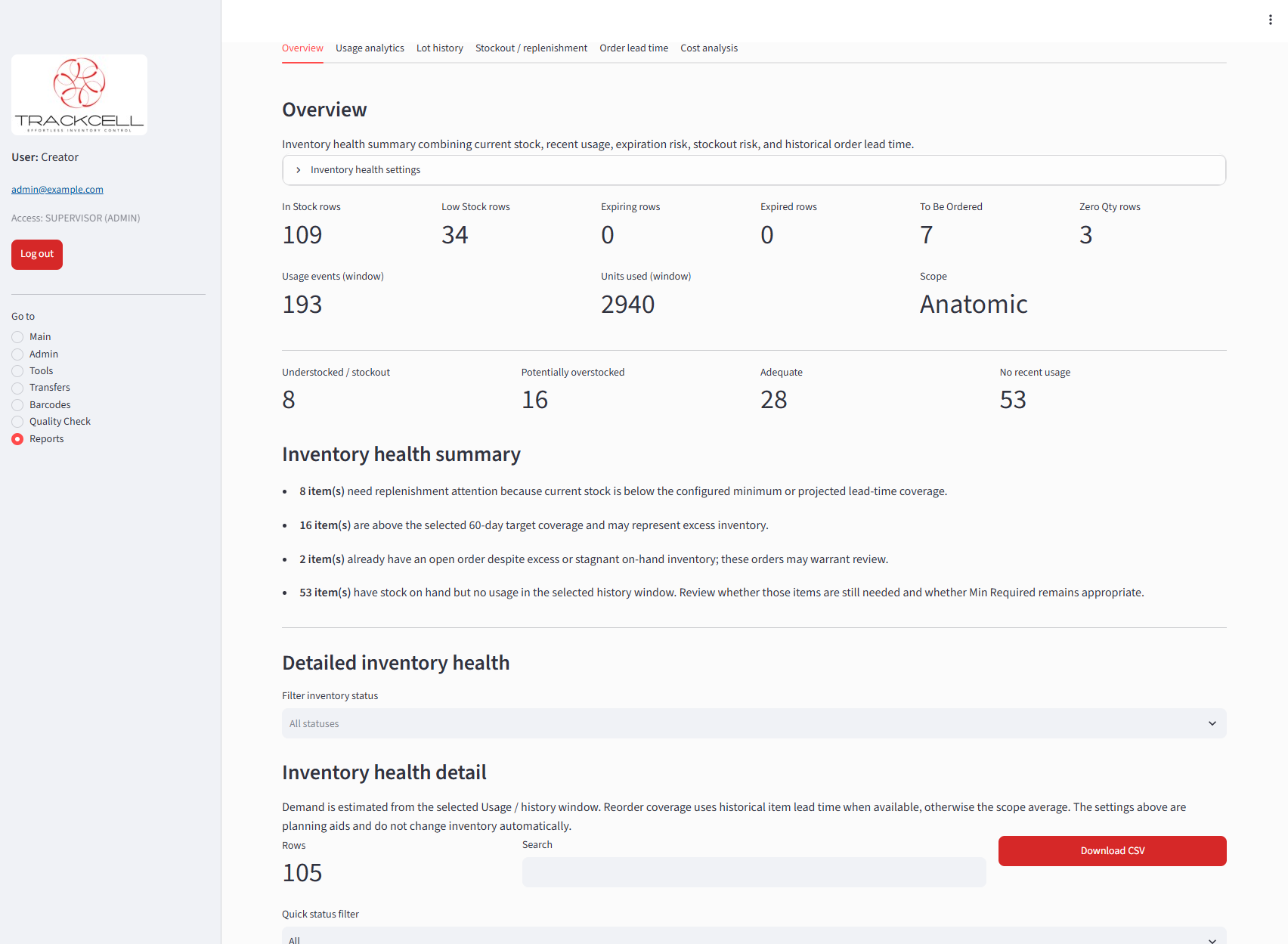
TrackCell brings inventory, usage, replenishment, expiration, and purchasing information together to help laboratories understand what is happening across their inventory.
Inventory Health
Identify understocked, potentially overstocked, adequately stocked, and inactive inventory from one consolidated view.
Usage & Replenishment Insights
Use inventory and usage history to better understand consumption patterns, stock needs, and replenishment activity.
Operational Reporting
Review usage analytics, lot history, stockout and replenishment activity, order lead times, cost information, and other inventory trends.
READY TO SEE TRACKCELL IN ACTION?
Bring Better Inventory Visibility to Your Laboratory
See how TrackCell can support your laboratory's inventory workflow—from receiving and daily usage through ordering, transfers, alerts, and reporting.